Scan to get


 Scan to get



 Scan to get






What this tool does
Look up any A, B, US or photo paper size in millimetres and inches, and compare two of them side by side.
People also used
Feedback
Spotted something off with this tool?
Every size, both units
Pick a size and get its exact dimensions in millimetres and inches. The table covers the A series from A0 down, the B series, the US sizes, and standard photographic formats.
Why A sizes halve so neatly
Every A size has the same aspect ratio, and that ratio is the square root of two — roughly 1.414 to 1.
That is the one shape that keeps its proportions when you fold it in half, which is why A4 folded is exactly A5, and two A4 sheets side by side make A3. No other ratio does this. It is why scaling A4 artwork to A3 needs no cropping, why a photocopier's enlarge button is 141%, and why the reduce button is 71%.
A0 is defined as one square metre in area, and everything else follows from halving it.
US sizes do not do this
Letter is 8.5 by 11 inches, a ratio of about 1.29. Legal is 8.5 by 14, a ratio of 1.65. Tabloid is 11 by 17.
Because the ratios differ, folding a Letter sheet in half does not produce another standard size, and scaling between US sizes always means either cropping or leaving a margin. That is the practical consequence of the two systems, and it is why a document laid out for A4 prints on Letter with something slightly wrong about it — Letter is 5.9 mm wider and 17.6 mm shorter, so a full-page A4 design loses nearly two centimetres off the bottom and gains about three millimetres at each side.
Photo sizes are their own thing again
6×4 inches has a ratio of 1.5, which matches most digital camera sensors. 7×5 is 1.4, and 8×6 is 1.33 — so printing the same photograph at those three sizes crops it differently at each.
That is why a face near the edge of a frame survives a 6×4 and loses an ear at 8×6. Check the ratio before ordering, not after.
Comparing two sizes
The comparison is what most people actually come for: how much bigger is A3 than A4, will this fit in that envelope, is Letter close enough to A4 to matter.
Each step down the A series halves the area, which is a bigger change than the numbers suggest — A2 is four times A4, not twice. Worth knowing before ordering a poster.
Related
The DPI calculator and resolution checker take these dimensions and tell you whether an image is sharp enough for them. The aspect ratio calculator handles the cropping arithmetic.
FAQs
Quick answers
What DPI should I use for printing?
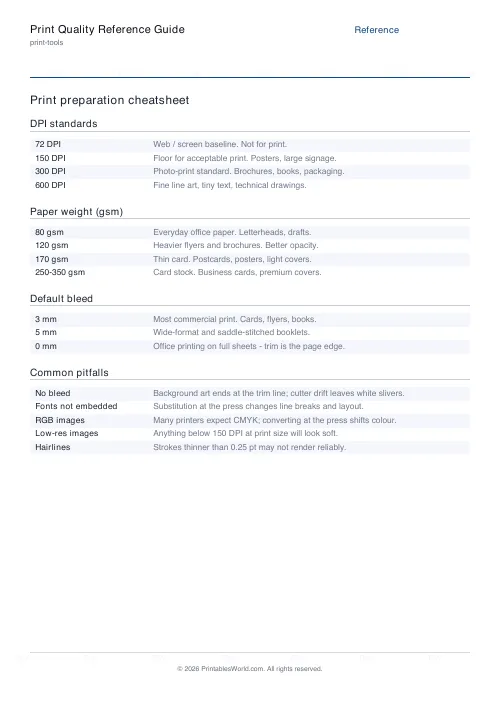
Use 300 DPI for high-quality photos and colour documents, 150 DPI for draft prints or large posters viewed from a distance, and 600 DPI or higher for fine-art reproductions or detailed line art. Screen images are typically 72 or 96 DPI and will appear blurry if printed without resizing.
How do I calculate pixels for a custom paper size?
Enter your custom width and height in millimetres or inches, then enter your target DPI. The calculator multiplies each dimension by the DPI and converts units as needed to show the exact pixel dimensions your image requires.
Can I use this calculator for canvas or fabric printing?
Yes. Enter the canvas dimensions in inches or millimetres and the DPI your printer or print service specifies. The pixel calculation works the same way regardless of the substrate material.
Why are A4 and US Letter different sizes?
A4 (210×297mm) is part of the ISO 216 international standard based on a 1:√2 aspect ratio. US Letter (8.5×11 inches, or 215.9×279.4mm) is slightly wider and shorter, based on traditional American paper sizes. Designs made for one may not fit the other without cropping or scaling.
Do I need to add bleed when using these dimensions?
The calculator shows exact paper dimensions without bleed. If your print job requires bleed (typically 3mm or 0.125 inches on each edge), add that manually to the pixel dimensions the tool provides.
Can I print the calculator results for reference?
Yes. The calculator interface prints cleanly on A4 or US Letter paper. Many users print a quick reference table of common sizes and their 300 DPI pixel dimensions to keep at their workspace.
What if my printer only supports certain paper sizes?
The calculator shows standard and custom dimensions, but it does not validate against printer hardware limits. Check your printer's manual or settings to confirm it supports the size you've entered before attempting to print.
Related tools
DPI Calculator
Calculate DPI, print size, or required pixels for sharp, print-ready images.
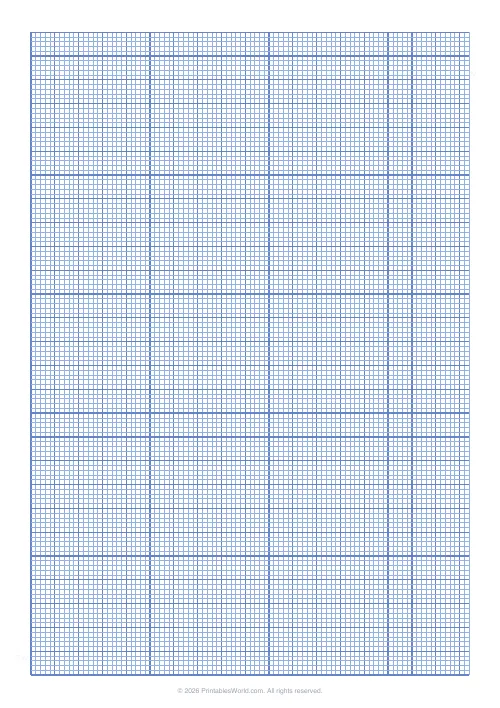
Graph Paper Generator
Create custom graph paper PDFs with square or rectangular grids, dot styles, and axis numbering.
Cartridge Yield & Cost Calculator
Compare ink and toner cost per page by cartridge yield.
Paper Weight Converter
Convert paper weight between gsm, lb, and points instantly.
Further reading