
 Scan to get


 Scan to get

 Scan to get





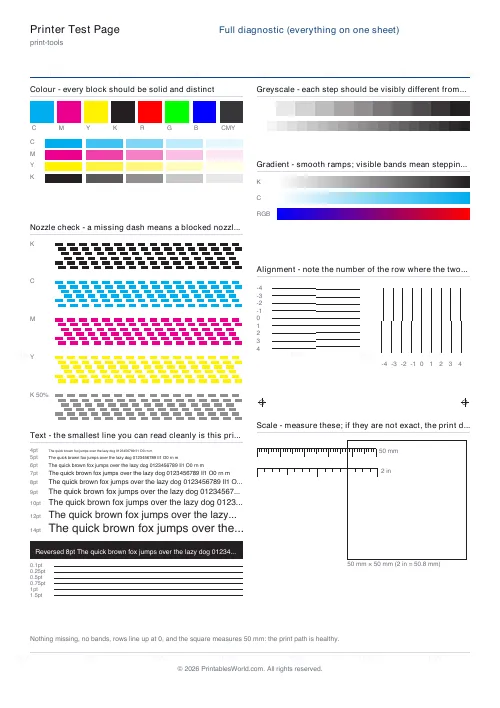
What this tool does
The sheet to print when a printer misbehaves. Pick the test that matches the symptom — streaks, wrong colours, fuzzy text, cut-off edges, pages coming out the wrong size — or print the full diagnostic and read every test at once. Every pattern is exact geometry, so what it shows is about your printer, not about the sheet.
People also used
Printable Ruler
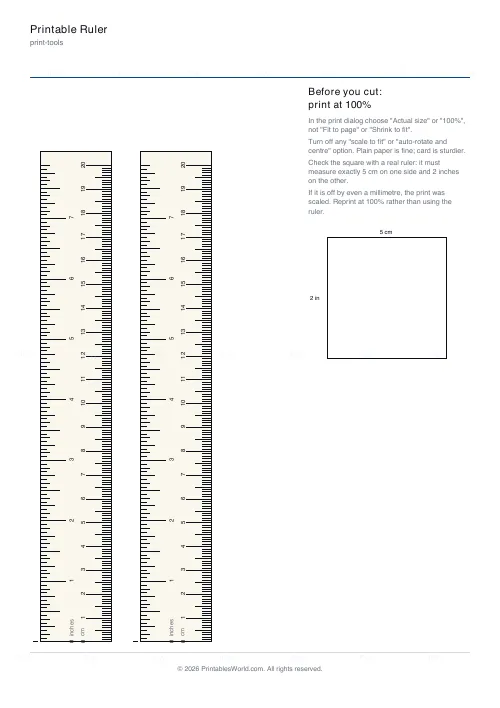
Accurate cm, mm and inch rulers with a scale-check square and print-at-100% guidance on the sheet.
Image Resolution Checker
Check whether your image has enough pixels for a sharp print at any target size.
Print Quality Reference Guide
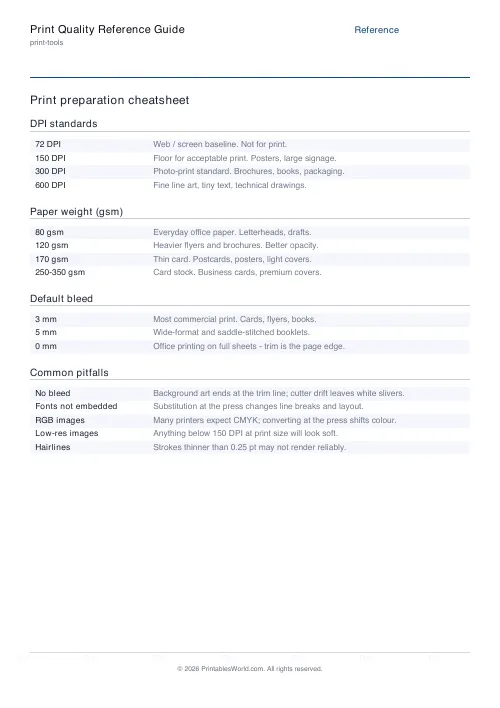
A printable reference for DPI standards, paper weights, bleed defaults, and common pitfalls.
Feedback
Spotted something off with this tool?
Which test for which symptom
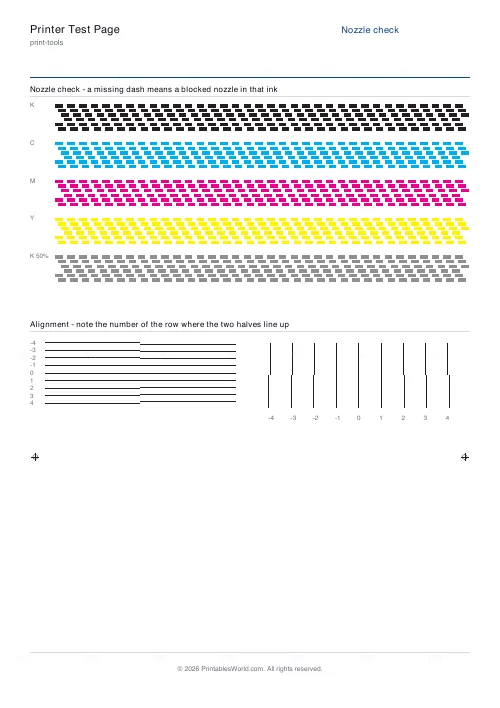
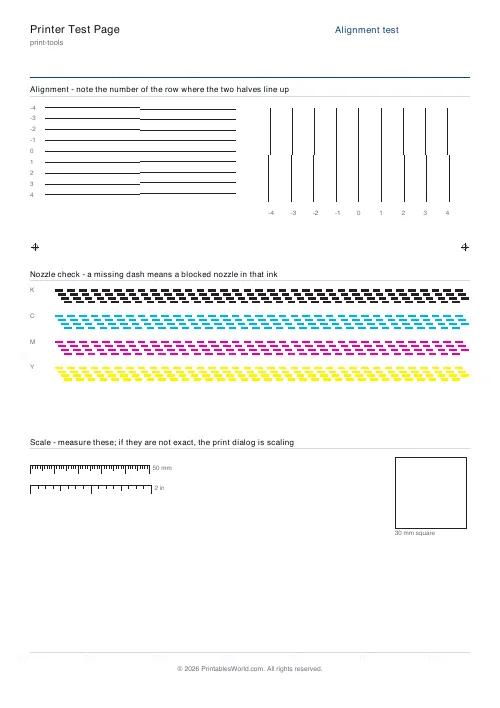
White streaks through solid areas: the nozzle check. Each ink prints rows of staggered dashes, and a gap in a row is a blocked nozzle in that colour. Run the printer's own head clean from its maintenance menu and print the sheet again until the rows are complete.
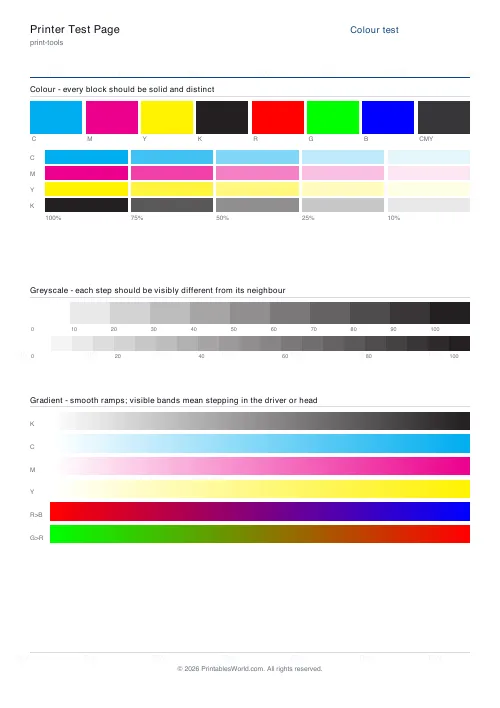
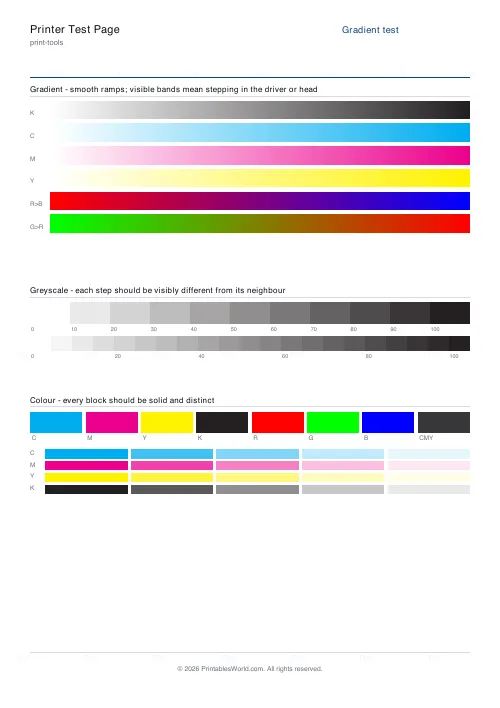
Colours wrong or a tint missing: the colour test. Solid cyan, magenta, yellow, black, red, green and blue blocks, then a ladder of tints from 100 down to 10 percent for each process ink. A block in the wrong hue, or a tint row that goes blank early, points at a cartridge that is empty, blocked or the wrong one.
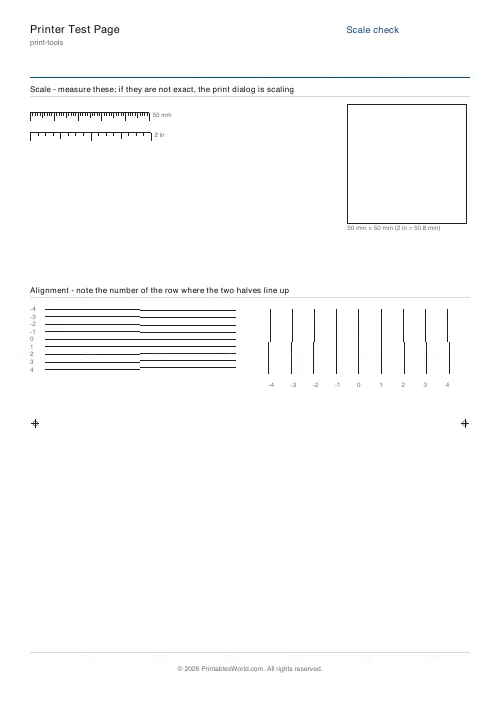
Text with a ghost beside it, or vertical lines that step: the alignment test. Rows of split lines at offsets from minus four to plus four; the row where the halves meet is the printer's current offset, and if it is not zero the alignment routine in the maintenance menu corrects it.
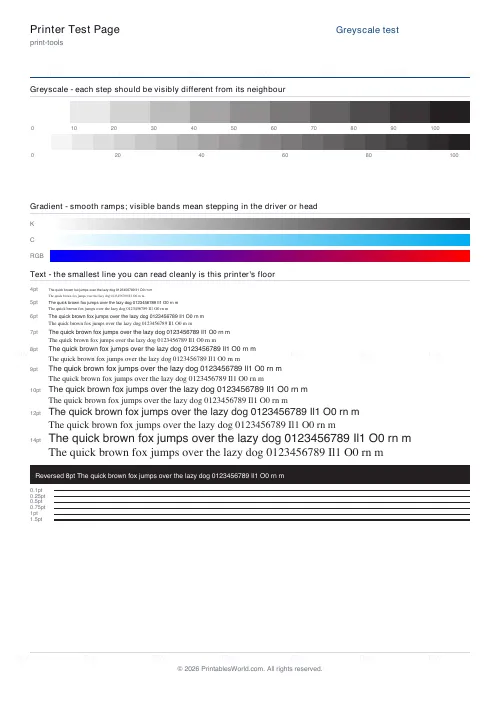
Banding across photos: the gradient test. Hundred-step ramps in each colour show stepping long before a photo does. It is usually the quality setting in the driver, sometimes a head drying between passes.
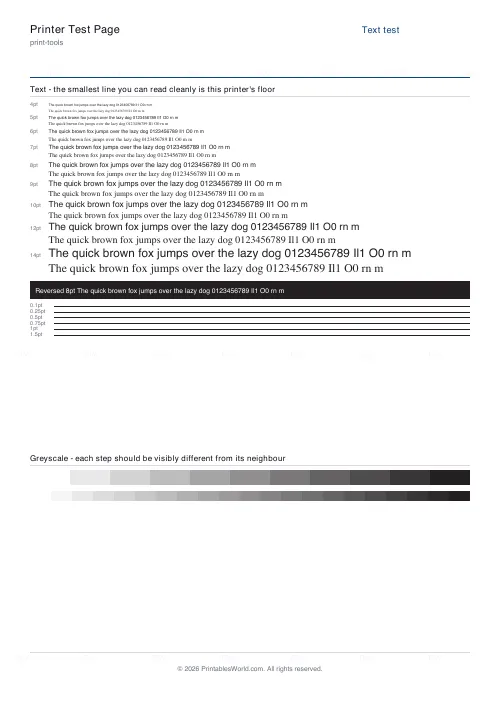
Small print unreadable: the text test. Type from 4 to 14 point in a sans and a serif, reversed white-on-black type, and hairlines from a tenth of a point up. The smallest line you can read cleanly is that printer's floor, and worth knowing before you print a label sheet at 6 point.
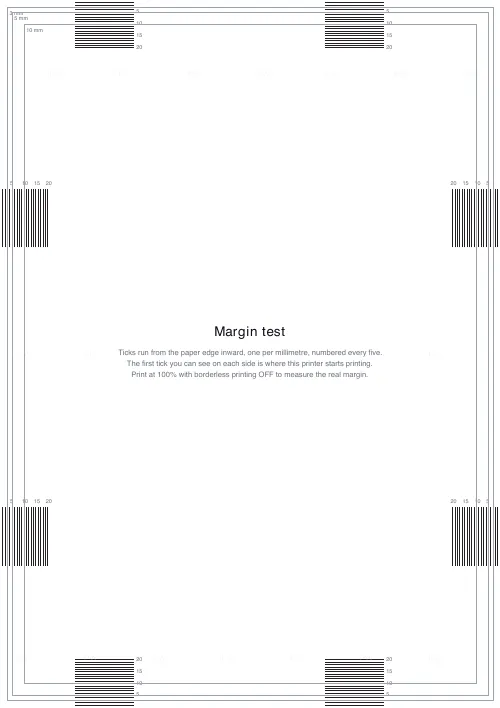
Edges cut off: the margin test. Ticks every millimetre from the paper's edge inward on all four sides, numbered every five. The first tick you can see is where the printer starts printing, which is the real margin to design to.
Rulers and templates coming out the wrong size: the scale check. A 50 mm rule, a 2 inch rule and a 50 mm square. If they do not measure exactly, the print dialog is scaling the page; set it to 100 percent or actual size and turn off fit to page.
What a PDF test page can and cannot tell you
A sheet printed from a PDF exercises the whole print path: the driver, its scaling and quality settings, the paper, and the heads as driven by this job. That is what you want when the question is why does my document look wrong. It is not the same as the printer's built-in nozzle check, which fires every nozzle from firmware regardless of the driver. When this sheet shows a gap or a misalignment, the printer's own maintenance routines are the fix; when those pass and this sheet still shows a fault, the problem is in the driver or the settings.
Printing it
Plain paper is fine for every test except the gradient, which shows banding more honestly on the paper you actually use for photos. Print at 100 percent with fit to page off, and for the margin test turn borderless printing off, or the printer will scale the page to hide the very edge you are measuring.
FAQs
Quick answers
Which test should I print first?
The full diagnostic. It puts a compact version of every test on one sheet, so one page tells you whether the problem is colour, nozzles, alignment, banding, text or scale, and then the single-test sheet for that fault gives you the detail.
Is this the same as my printer's nozzle check?
No. A PDF test page goes through the driver and its settings, which is what you want when a document looks wrong. The printer's own nozzle check in its maintenance menu fires the heads directly. If this sheet shows a gap, run the printer's head clean and nozzle check, then print this again.
The colour blocks print but look dull. Is the printer faulty?
Usually not. Plain paper absorbs ink and mutes solids; the same blocks on photo paper look saturated. Judge the colour test on whether each block is distinct and the tint ladder steps evenly, not on how vivid it looks.
How do I use the margin test?
Print it at 100 percent with borderless printing off. On each side, find the first millimetre tick you can see; that distance is the printer's unprintable margin on that edge. Design labels and full-bleed sheets to stay inside it.
Why is there a square on the scale check?
To catch scaling in either direction. If the 50 mm square measures 50 mm on both sides the page printed at true size; if it is smaller, the print dialog is shrinking the page, usually a fit-to-page setting.
Related tools
Printable Ruler
Accurate cm, mm and inch rulers with a scale-check square and print-at-100% guidance on the sheet.
Image Resolution Checker
Check whether your image has enough pixels for a sharp print at any target size.
Print Quality Reference Guide
A printable reference for DPI standards, paper weights, bleed defaults, and common pitfalls.
Ink Coverage Estimator
Estimate ink usage in millilitres and cost from CMYK page coverage.
Cartridge Yield & Cost Calculator
Compare ink and toner cost per page by cartridge yield.
Further reading