Print Tools
Ink Coverage Estimator
Estimate ink usage in millilitres and cost from CMYK page coverage.
Last updated:
What this tool does
Plug in the cyan, magenta, yellow, and black coverage percentages your design carries and the number of pages in the run. The estimator returns ink usage per channel in millilitres and the rough cost based on a typical inkjet ml price. Useful for spec-quoting brochures, photo books, and zines.
Settings
Coverage and run
Enter the average coverage of each CMYK channel and your page count.
Coverage per channel (%)
Result
Estimated ink usage
Total ink
52.50 ml
≈ 78.75 estimated cost
Cyan
15.00 ml
Magenta
15.00 ml
Yellow
15.00 ml
Black
7.50 ml
Estimate only — droplet size and dry-back vary widely between printers. Use as a planning figure, not a billing figure.
People also used
Print Cost Estimator
Estimate the per-job cost of printing based on pages, paper, ink, and quantity.
Print Quality Reference Guide
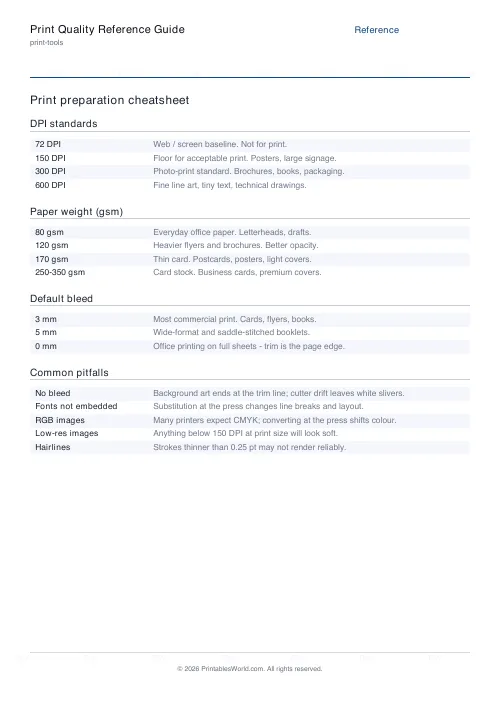
A printable reference for DPI standards, paper weights, bleed defaults, and common pitfalls.
Paper Sizes Calculator
Compare paper sizes and convert millimetres, inches and DPI pixels.
Estimate CMYK Ink Coverage, Usage, and Cost per Run
Work out how much cyan, magenta, yellow, and black a print job is likely to consume before you commit to the run.
Enter the CMYK coverage percentages your artwork carries and the number of pages to be printed, and the estimator returns ink usage per channel in millilitres along with the rough cost based on a typical inkjet millilitre price.
It is designed for self-publishers costing up zines and photo books, small print-shop owners quoting colour brochures, and home users who want to know whether a big poster will drain a fresh cartridge.
Why use an ink coverage estimator?
Inkjet and laser consumables are the biggest variable cost in short-run colour work. A page of body text might consume 0.05 ml of black, while a full-bleed photograph of a sunset can consume over a millilitre of each CMYK channel. Use this calculator for:
- quoting colour brochures and flyers
- costing zine and photo book print runs
- planning cartridge replacements ahead of a big job
- comparing the ink cost of two different layout options
- estimating drying time for high-coverage pages
- modelling the impact of draft mode versus best quality
It is particularly useful when you can preview CMYK coverage in your RIP or Acrobat output preview and want to turn those percentages into a usable ballpark cost.
What you can customise
The estimator accepts a full CMYK breakdown, not just a single average figure:
- Cyan coverage, as a percentage of the page
- Magenta coverage, as a percentage of the page
- Yellow coverage, as a percentage of the page
- Black (K) coverage, as a percentage of the page
- Page count for the run
- Paper size (affects the area used in the calculation)
- Cost per millilitre of ink, for your specific printer and cartridge
Treat the per-channel result as a planning figure rather than a billing figure — real usage depends on droplet size, dry-back, and paper absorbency.
Notes and limitations
- Coverage is measured as a percentage at full channel density. A 50 percent cyan flood reads as 50, not 100.
- Droplet volumes differ between manufacturers. Canon, Epson, HP, and Brother each use different head technology and ink chemistries.
- Draft mode can reduce ink usage by 30 to 50 percent at the cost of quality; photo mode can increase it.
- The estimator does not model under-colour removal (UCR), grey component replacement (GCR), or total ink limit (TIL) adjustments applied by a RIP.
- Laser toner usage follows similar percentages but is usually cheaper per page once cartridge yield is factored in.
Who this estimator is for
This tool is aimed at anyone who pays for ink or toner by the millilitre or cartridge and needs to plan a run.
Graphic designers
Check whether a design's CMYK heaviness will push a client's print budget past the quote before the file is handed off.
Self-publishers
Cost up a photo book or zine by channel, and spot pages where a rich black background is inflating the total ink cost.
Print-shop owners
Give customers a quick ballpark figure for a short run, and sanity-check supplier quotes for large cartridge orders.
Home users
Work out if a birthday banner or party invitation run will use more than half a cartridge before starting it.
CMYK coverage, in practice
Low coverage pages
Body text documents typically run at 2 to 5 percent K and near-zero CMY. Line-art worksheets and plain résumés fall in this band.
Medium coverage pages
Brochures with colour headings, icons, and a photo or two usually land between 15 and 30 percent per channel, depending on the photos.
High coverage pages
Full-bleed photography, dark backgrounds, and saturated branding can push individual channels to 60 to 100 percent. Watch drying time on uncoated stock at these levels.
How to use the tool
- Open your artwork in Acrobat and use Output Preview (or the equivalent in your RIP) to read off CMYK coverage per page.
- Enter each channel's coverage percentage.
- Enter the number of pages in the run.
- Select the paper size so the area calculation is correct.
- Enter the cost per millilitre of your ink (divide cartridge price by cartridge yield in ml).
- Read off ink usage per channel and total cost.
- Repeat with draft mode or reduced backgrounds to see cost savings.
Worked example
Consider a 24-page A4 brochure with average coverage of 20 percent cyan, 25 percent magenta, 15 percent yellow, and 10 percent black. At a nominal cartridge cost of around £0.25 per millilitre, the estimator returns roughly 3.6 ml of cyan, 4.5 ml of magenta, 2.7 ml of yellow, and 1.8 ml of black for the whole run — a total ink cost of about £3.15 for the 24 pages.
Print the same brochure in draft mode at roughly 60 percent ink density and the estimate drops to around £1.90, at the cost of some saturation and crispness.
Methodology
The calculator multiplies coverage percentage by page area by page count, then scales by a typical droplet volume to arrive at millilitres per channel. The per-channel millilitres are multiplied by your stated cost per millilitre to give a cash estimate. No assumption is made about your specific printer's dry-back or paper absorbency — those adjustments should be applied on top of the raw estimate.
Helpful preset ideas
- Text-only document: 2 percent CMY, 5 percent K
- Brochure with photos: 20 percent CMY, 10 percent K
- Photo print: 50 percent CMY, 30 percent K
- Poster with dark background: 60 to 80 percent per channel
- Greyscale photo: 0 percent CMY, 40 percent K
Best ways to reduce ink usage
- Use draft or eco mode for internal proofs before committing to best quality.
- Swap full-bleed backgrounds for white space where the design allows.
- Choose greyscale for internal pages of text-heavy books.
- Convert rich blacks to pure K for small text to cut CMY use.
- Use a RIP with UCR or GCR to rebuild neutrals with more K and less CMY.
Small coverage reductions on long runs add up quickly — a one-percentage-point cut on a 500-page run is meaningful.
Related print-production tools
You may also find these related print-tools calculators useful:
FAQs
Quick answers
How is ink coverage measured?
Coverage is the percentage of a page that a single CMYK channel covers at full density. A pure black photo background is ~100% K coverage; a sparse text page is closer to 5%.
How much ink does an A4 page actually use?
A typical A4 page at 5% coverage uses around 0.05 ml per channel on a desktop inkjet. High-coverage photo prints can hit 1.5 ml per channel.
Is ml-per-page the same on every printer?
No — droplet size, head technology, and dry-back vary widely between brands. Treat the estimate as a planning figure, not a billing figure.
How can I reduce ink usage?
Use draft mode for proofs, prefer line art over photos when possible, and avoid full-bleed colour backgrounds. Greyscale prints cut CMY usage to near zero.
Related tools
Print Cost Estimator
Estimate the per-job cost of printing based on pages, paper, ink, and quantity.
Print Quality Reference Guide
A printable reference for DPI standards, paper weights, bleed defaults, and common pitfalls.
Paper Sizes Calculator
Compare paper sizes and convert millimetres, inches and DPI pixels.