Classroom Activities
Custom Dice Maker
Foldable six-sided dice nets with your own face labels — words, letters, or emoji.
Last updated:
What this tool does
Generate printable dice with six custom faces. Enter your own labels (for action dice, story dice, vocabulary dice, or behaviour dice), fit 1 to 4 nets per page, and download a PDF you can cut out, fold, and assemble. Each face auto-sizes its text so short emoji and longer words all fit cleanly.
Settings
Configure your custom dice
1 dice per page · 6 faces filled
Six face labels
Short words, letters, or emoji work best.
Dice per page
Paper size
Preview
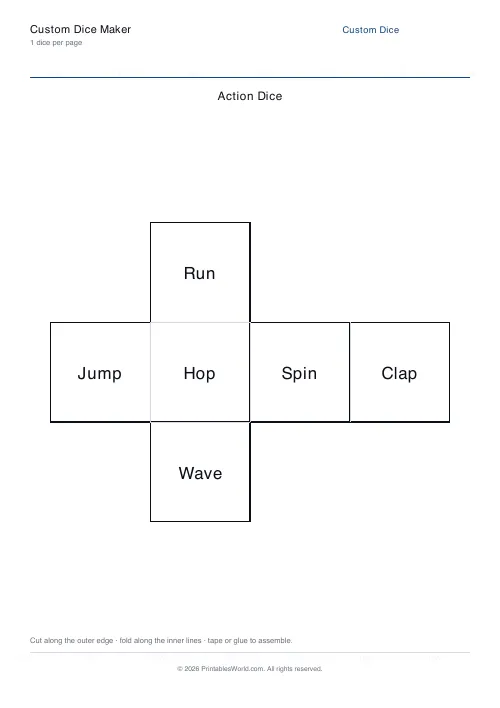
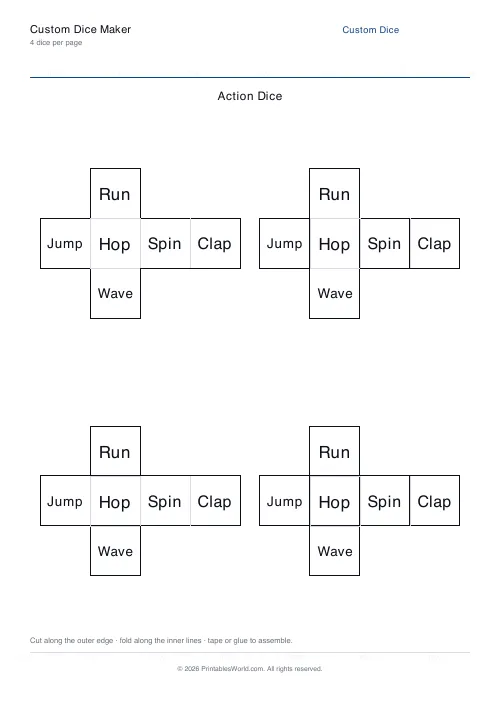
Custom dice net
T-shaped cross with your labels.
People also used
Create Printable Custom Dice for Classroom Games, Story Starters and Vocabulary
Design your own foldable six-sided dice with six custom face labels and download a print-ready cube net in A4 or US Letter PDF format.
The custom dice maker prints clean cross-shaped cube nets that pupils cut, fold, and tape to make playable dice. Type any six short labels — words, letters, numbers, short phrases, or emoji — and the engine auto-sizes the text so every face stays readable once the cube is assembled.
This tool is built for teachers, homeschool parents, tutors, and speech-and-language specialists who want hands-on, reusable props for games, writing prompts, and vocabulary practice.
Why use this custom dice maker?
A custom die is one of the simplest but most flexible classroom props you can make. By changing the six faces, the same physical object becomes a writing prompt, a maths game, a behaviour tool, or a language drill. Use it for:
- story starter dice with characters, settings, or plot twists
- vocabulary and spelling practice
- action dice for PE, drama, or brain breaks
- behaviour and reward dice for classroom management
- phonics and letter-recognition games
- language-learning verb or tense dice
- maths dice with numbers, shapes, or operations
Laminate the assembled dice and they can be reused for years across many different activities.
What you can customise
The tool keeps the cube geometry fixed and lets you tailor the content. You can set:
- Six face labels: any short text, letter, number, phrase, or emoji
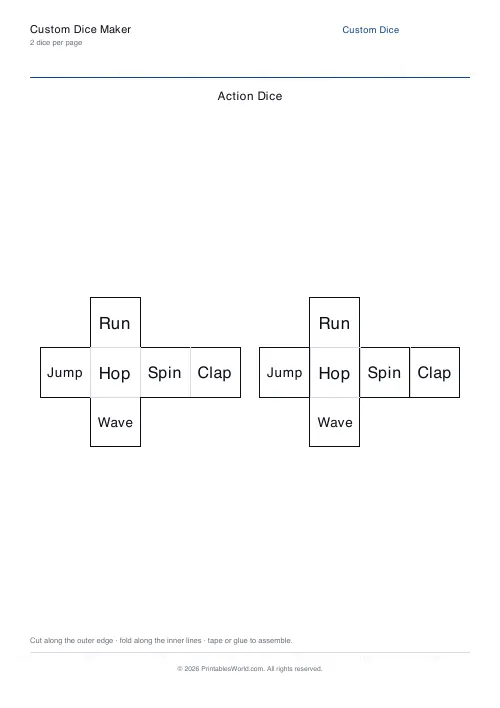
- Nets per page: between 1 and 4, depending on the size of die you want
- Worksheet title: a heading that prints across the top of the page
- Paper size: A4 or US Letter PDF output
Each face scales its text automatically, so short emoji and longer words both sit neatly inside the face square.
Notes and limitations
- The generator needs six labels — empty slots are filled with a placeholder so the dice still assembles.
- Very long labels shrink to fit and may become hard to read; keep labels to one or two words where possible.
- Fewer nets per page produce larger dice that are easier to cut and fold neatly.
- Printed output is best on 160 gsm card or heavier so the folded cube holds its shape.
Who these dice are for
Custom dice suit any situation where you want pupils to generate random prompts in an engaging, tactile way.
Parents
Print a story-starter die or a chore-choice die for family game nights and rainy afternoons.
Teachers
Produce topic dice for warm-ups, drama starters, vocabulary revision, or behaviour rewards.
Homeschool families
Make dice for spelling lists, maths facts, and topic vocabulary that match your current unit of work.
Tutors
Use custom dice in one-to-one sessions to add a hands-on element to speaking, writing, and maths practice.
Face content ideas
Word dice
Put six vocabulary words on the faces and have pupils roll, read, and use the word in a sentence.
Story dice
Make one character die, one setting die, and one problem die — pupils roll all three to generate a story prompt.
Maths dice
Put operations (+, -, x, ÷) or targeted numbers on the faces to control the kind of maths facts pupils practise.
Emoji dice
Use emoji faces to make the die accessible for pre-readers or for quick mood check-ins.
How to use the tool
- Type a title if you want one.
- Enter the six face labels.
- Choose how many nets to print per page (1 to 4).
- Choose A4 or US Letter as your paper size.
- Click Generate.
- Preview the sample page.
- Download the PDF, print on card, cut, fold, and tape.
Worked example
Imagine building a story-starter set for a Year 4 writing lesson. Enter six characters on one die ("wizard", "robot", "pirate", "dragon", "chef", "astronaut"), print two copies of the net per page, and roll with a partner to generate characters for a shared story.
Print a second die with settings ("forest", "spaceship", "castle", "school", "desert", "underwater") and pupils can roll both dice to create every combination they want.
Methodology
The engine draws a classic T-shaped cube net with six square faces and four tabs for gluing. Faces are labelled in the standard 1–6 order so the opposite-face sum of seven is preserved when you assemble the cube. Text is centred on each face and the font size shrinks automatically until the longest label fits comfortably. Solid outer lines mark the cutting edges; lighter inner lines mark the folds. Branding, watermark, and QR are applied by the shared template so the die looks consistent with the rest of the classroom printables on the site.
Helpful preset ideas
- Story dice: character, setting, problem
- Emotion dice: happy, sad, angry, scared, surprised, calm
- Action dice: run, jump, hop, clap, spin, freeze
- Tens bond dice: 1, 3, 5, 7, 9, and a wild card
- Verb-tense dice: go, eat, see, do, have, be
Best ways to use custom dice
- Print on 160 gsm card or heavier for sturdy, long-lasting dice.
- Laminate before cutting for even more durability.
- Pair two or three dice for richer prompts and combinatorial games.
- Keep a class set in a fabric pouch so pupils can grab them quickly.
- Let pupils design and write the labels themselves as part of a lesson.
Designed for A4 and US Letter printing
The cube net prints cleanly on both A4 and US Letter. Choose A4 for UK schools or US Letter for US classrooms — the net shape and tab placement stay the same, so the folded cube assembles identically either way.
Related classroom activity printables
You may also find these related classroom templates useful:
FAQs
Quick answers
What can I put on the faces?
Any short label — a word, a letter, a number, a short phrase, or an emoji. Keep labels short so the text stays readable when folded.
How many dice per page?
Between 1 and 4. Fewer dice means each net prints larger and is easier to cut and fold.
Do I have to fill all six faces?
The generator needs six labels. Empty slots fall back to a placeholder so the dice still assembles, but filled labels produce a cleaner result.
What are custom dice good for?
Action games, story starters, vocabulary practice, behaviour prompts, and classroom warm-ups. Pair a few custom dice for richer prompts.
Related tools