
What this tool does
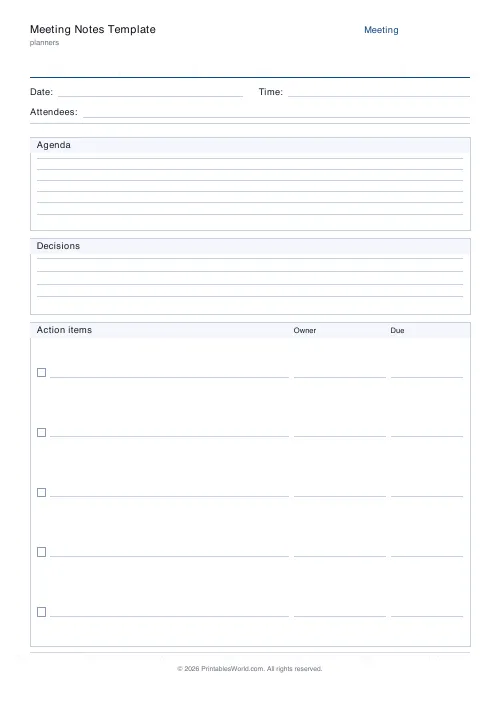
A meeting sheet with date and time, attendees, an agenda block, a decisions block, and two to twelve action rows carrying an owner and a due date.
People also used
Feedback
Spotted something off with this tool?
Notes in one place, actions in another
Date and time across the top, then attendees. Below that an agenda block, then a decisions block, then a table of action rows with an Owner column and a Due column.
Keeping decisions and actions in separate blocks is the entire design, and it is what makes a set of meeting notes still useful a week later.
Why actions must not live in the notes
An action buried in a paragraph of discussion is an action nobody will find.
Notes get read once, at most. The action block gets read before the next meeting, and if the actions are scattered through three pages of prose then somebody has to reread everything to extract them — which means nobody does, and the same items get raised again.
Write the action in the action block at the moment it is agreed, not afterwards from the notes. Reconstructing them later is where actions get lost.
An action needs a name and a date
Both fields are there because an action with neither is a suggestion.
"We should look into the licensing" will not happen. "Priya to check the licensing terms before the 14th" might. The owner has to be one person — an action owned by a team is owned by nobody — and the date has to be a date rather than "soon".
Say the owner and the date out loud when you write them. It is the cheapest way to catch the person who did not realise they had agreed to it.
What goes in the notes and what does not
The decisions block is for what was decided. Not a transcript of how you got there.
The question worth answering for each item is: what would somebody need to know in three months to understand why we chose this? That is usually two sentences. Everything else — who said what, the tangent about the car park — is noise you are writing for nobody.
Disagreements are worth recording, briefly. A decision that looked unanimous in the notes and was not is the one that gets reopened.
Why paper in a meeting
Because a laptop screen is a wall between you and the room, and because typing pulls you towards transcription while handwriting forces selection — you cannot write fast enough to record everything, so you have to decide what matters as you go.
That constraint produces better notes. It is also the reason handwritten notes are harder to search, which is a real cost worth weighing.
What is adjustable
A title and how many action rows (2 to 12). Everything else on the page is fixed. A4 or US Letter, printed at 100%.
Print a stack and keep them where the meetings happen.
FAQs
Quick answers
How many action items can I track?
Between four and ten rows. Each row has a checkbox plus owner and due columns so follow-ups are clear.
Is there room for decisions?
Yes. A dedicated decisions box sits between the agenda and action items for conclusions and sign-offs.
Can I use it for stand-ups?
Absolutely. Keep the agenda short, fill in the action items, and move on.
Does it work with online meetings?
Yes. Print the page, take notes by hand during the call, or keep it open on a second screen and type your own transcript separately.
Related tools

Simple To-Do List
Minimal printable to-do list with tick boxes and a configurable item count.

Daily Planner
One-page daily planner with priorities, hourly schedule, and a notes strip.

Priority Matrix (Eisenhower)
Eisenhower urgent/important matrix for ranking the day's tasks.
Social Media Content Planner
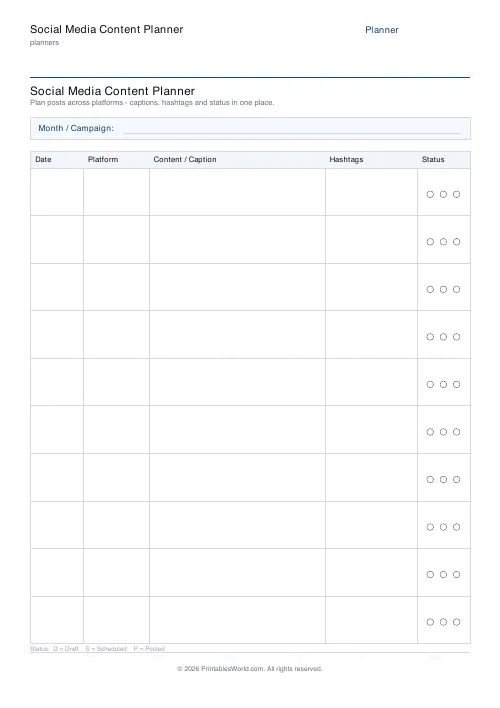
One-page printable post schedule: date, platform, caption, hashtags, status.
Further reading
Planners
Study planning for exams: a student's complete guide
A revision timetable is only as good as what goes in the slots. Here is how to build one backwards from the exam date, and which study methods the evidence actually supports.
5 min read
Planners
How to pay off debt faster with a payoff tracker
One method costs less; the other is easier to stick to. Here is how to choose between them honestly, and why a visual tracker changes the odds either way.
5 min read
Planners
How to build a daily routine that actually sticks
Most routines fail in week two, when motivation runs out and nothing has replaced it. The fix is structural: fewer items, fixed anchors, and a plan for the day you miss.
6 min read