
What this tool does
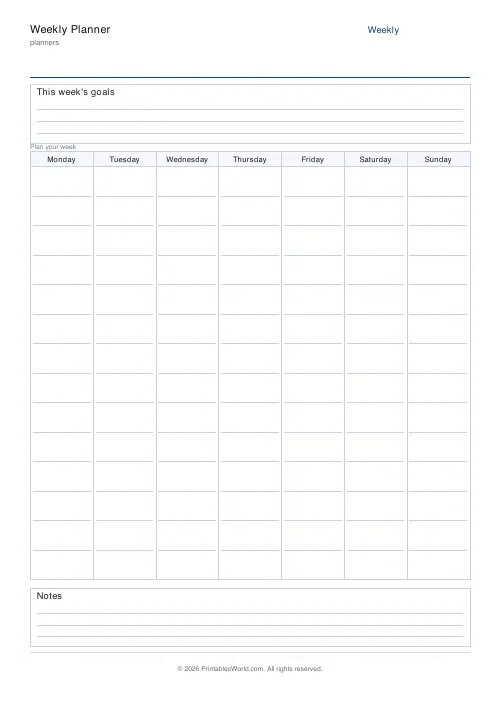
A week on one page: seven day columns under a goals box, with a notes strip at the foot. Start the week on Monday or Sunday.
People also used
Feedback
Spotted something off with this tool?
The layout
A goals box across the top with room for three, seven day columns filling the middle, and a notes strip along the bottom.
The week starts on Monday by default. Switch it to Sunday if that is your convention — the days simply rotate, and the choice is regional rather than right or wrong. Britain and most of Europe start Monday. North America and Japan usually start Sunday.
Goals at the top, on purpose
Three lines, and the position is deliberate: you see them every time you look at the sheet, all week.
A weekly goal sits at a useful level. Daily goals are really tasks and monthly ones are too far off to feel urgent, but a week is short enough to hold in your head and long enough to get something finished in. Write three. Writing eight is the same mistake as a ten-item priority list.
Seeing the whole week
This is what a daily sheet cannot do.
Seven columns side by side make the shape of the week obvious — that Tuesday is empty and Thursday is impossible, that you have booked three evenings running, that the deadline on Friday has nothing in front of it. Moving something on Monday morning is cheap; discovering the collision on Thursday is not.
Columns are narrow, which is the trade. Write short. If a day needs more than the column holds, that day wants its own daily sheet.
Ways people use it
Meal planning down one column per day with the shopping list in the notes strip. Homeschool timetables. Shift and rota planning for a household. Training and exercise programmes, where seeing the rest days matters as much as seeing the sessions. Habit tracking, with a mark in each column.
Also as a review sheet: fill it in as the week happens rather than before it, and you end up with a record of where the time actually went, which is usually a surprise.
A weekly rhythm
Print on a Sunday evening or a Monday morning. Fill in the fixed points first — anything already committed — then the three goals, then the flexible work into whatever space remains.
Ten minutes on this beats an hour of rearranging later in the week.
FAQs
Quick answers
Can I start the week on Sunday?
Yes. Toggle the week start to Sunday and the column order is reordered accordingly.
How much space is there per day?
Each day gets a full-height column with roughly 14 ruled lines. Enough for appointments, tasks, and reminders.
Does it include a goals section?
Yes. A dedicated goals box sits at the top of the page for your three weekly priorities.
What paper sizes are supported?
A4 and US Letter. The grid reflows to fill the chosen paper without cropping.
Related tools

Daily Planner
One-page daily planner with priorities, hourly schedule, and a notes strip.

Monthly Planner
Blank month grid with weekday headers and an optional notes footer.

Simple To-Do List
Minimal printable to-do list with tick boxes and a configurable item count.
Kanban / Task Board
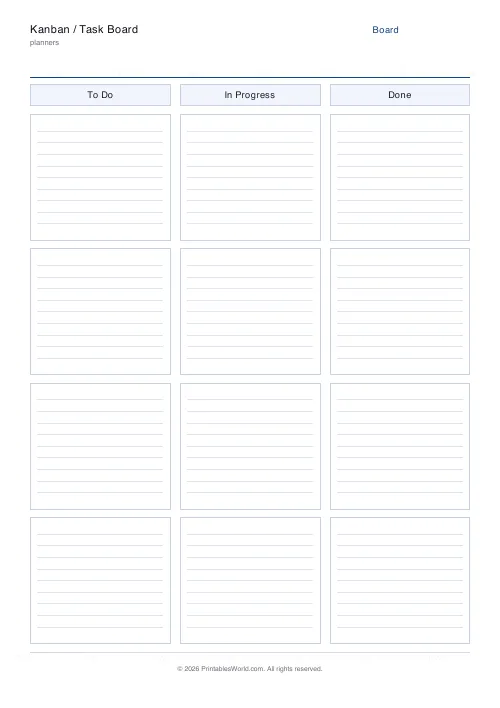
Printable Kanban board with labelled columns and card slots for tasks or sticky notes.
Further reading
Planners
Meal planning 101: save time and money every week
A weekly meal plan saves money mainly by changing how you shop. Here is a thirty-minute method, the shortcuts that keep it going, and the mistake that ends most plans in week three.
5 min read
Planners
ADHD-friendly planning: systems that work
Standard planners assume you will remember to open them. That single assumption is why they fail for a lot of ADHD brains. And what an ADHD-friendly system has to replace.
6 min read
Planners
Time blocking for beginners: a complete guide
Time blocking is deciding when each task happens, not just what. Here is how to size blocks realistically, what to do when the day breaks, and why most beginners over-schedule.
5 min read
More like this
 Planner Maker: Custom Printable Planner Pages
- Daily Planner
- Monthly Planner
 Yearly Overview Planner
- Simple To-Do List
 Priority Matrix (Eisenhower)
 Meeting Notes Template
 30-Day Habit Tracker
 12-Week Habit Tracker
 Monthly Mood Tracker
 Weekly Sleep Tracker
 Daily Water Tracker
 Weekly Meal Planner
 Monthly Meal Planner