Scan to get


 Scan to get



 Scan to get







What this tool does
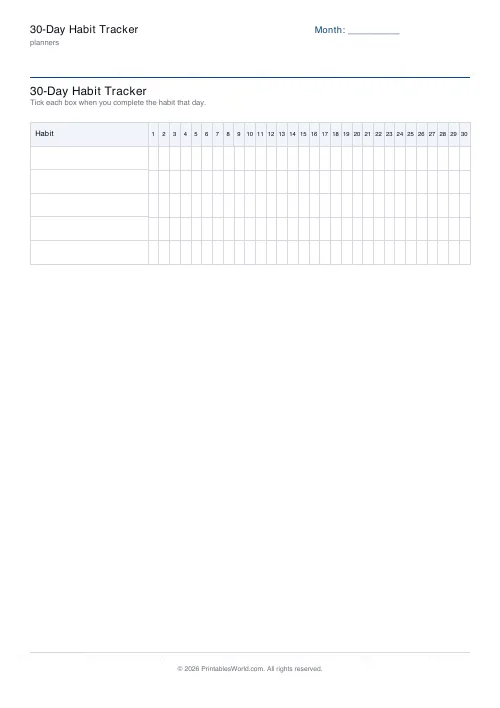
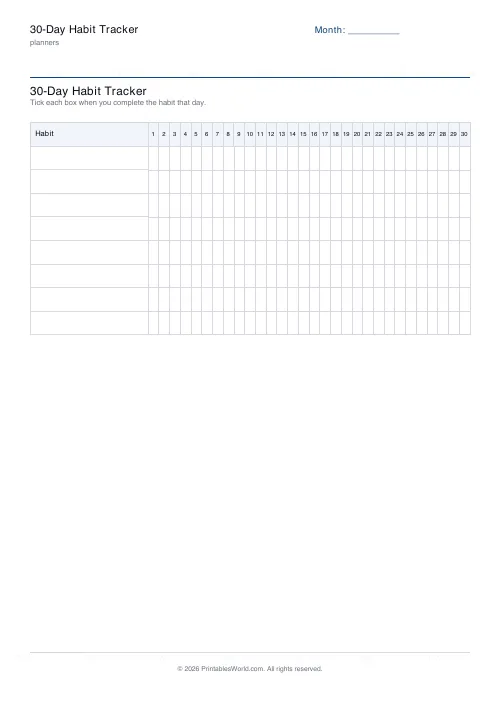
Five to fifteen habits down the side, thirty day columns across, one page. Tick a box when you do the thing.
People also used
Feedback
Spotted something off with this tool?
A grid, and nothing else
Habits down the left, thirty numbered columns across, a box at every intersection. Name your own habits or leave the rows blank and fill them in by hand. There is a month field for the header.
No scoring, no streak counter, no space for reflection. The whole design is one question repeated 450 times: did you do it today?
Why thirty days
Long enough to see a pattern and short enough to finish, which is the practical argument.
The popular claim that a habit takes 21 days to form has no real evidence behind it — it comes from a 1960 plastic surgeon's observation about patients adjusting to their new appearance, and it got repeated until it sounded like science. The research that has actually looked at this found a median closer to 66 days, with enormous variation between people and between habits.
So a completed thirty-day sheet is not a finished habit. It is a month of evidence, and the useful thing to do at the end is print another.
Fewer habits than you want
The sheet takes fifteen and you should almost certainly use fewer.
People attempting several changes at once do worse than people attempting one or two: the effort gets spread, none of them gets enough, and the whole set is abandoned together somewhere in week two. Three habits ticked most days beats twelve ticked twice.
If you want the page to look full, put two or three things on it you already do reliably. A tracker with guaranteed ticks is a tracker you keep looking at, and that turns out to matter more than the logic suggests it should.
Read the gaps, not the total
A row with 22 ticks and 8 gaps tells you almost nothing. The same row where all 8 gaps are weekends tells you everything, and it points at a specific fix.
Missing one day is normal and does not matter. Missing two in a row is where habits actually die, and the grid is the only thing that will show you that clearly enough to act on.
Why paper
It is visible without being opened. An app knows more and tells you less, because you have to go and ask it; a sheet on the fridge or inside a cupboard door is a passive, constant reminder that does not notify anybody.
For a lot of people that is the whole mechanism, and it is the reason a paper tracker survives past the fortnight when an app does not.
Setting the sheet up
A title, the month, how many habits (5 to 15), and your habit names. A4 or US Letter, printed at 100%.
For a longer run, the 12-week tracker puts 84 days on a page in weekly blocks.
FAQs
Quick answers
How many habits can I track at once?
Between 5 and 15. More than that and the rows get hard to read; pick the habits that matter most this month.
Do I have to start on the 1st of the month?
No. Day 1 is simply the first day you tick. It does not need to match a calendar date. Write a start date in the month field if you want to.
What paper size should I use?
A4 or US Letter both work. Print at 100% (Actual size) so the grid stays crisp and the tick boxes stay square.
Can I fill my own habit names in the PDF?
If you leave the habit list blank the PDF prints empty rows you can hand-write. Fill in the habits field to print them already labelled.
Related tools

12-Week Habit Tracker
A quarterly habit tracker. 12 weeks × 7 days per habit on a single printable page.

Monthly Mood Tracker
Colour-in mood tracker with 31 day cells and a customisable mood key.

Daily Water Tracker
Tick off 8 glasses a day for a full month. Printable, one page, no app required.

Planner Maker: Custom Printable Planner Pages
Build custom printable planner pages with lines, boxes, text and checklists in precise millimetre layouts.
Daily Routine (Morning/Evening) Checklist
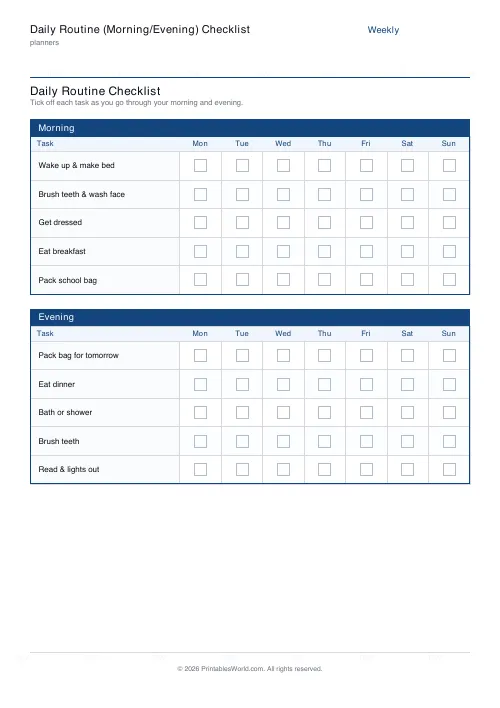
Printable morning and evening routine checklist with a tick box for every task, every day of the week.
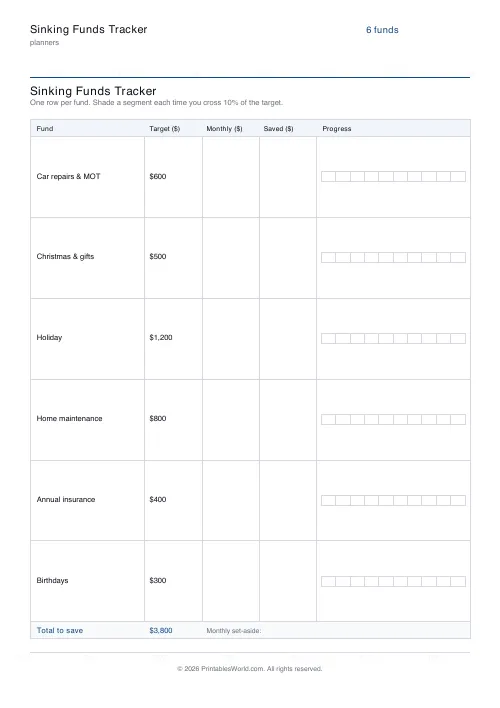
Sinking Funds Tracker
Printable multi-category sinking funds tracker. One row per fund with target, monthly set-aside, and a 10-segment progress bar.
Further reading
Planners
How to track habits that actually change your life
Habit tracking works because it makes an invisible process visible. It fails when you track too many things, or when protecting the streak becomes more important than the habit.
5 min read
Planners
ADHD-friendly planning: systems that work
Standard planners assume you will remember to open them. That single assumption is why they fail for a lot of ADHD brains. And what an ADHD-friendly system has to replace.
6 min read
Printable Paper
Bullet journalling with dot grid paper: a starter guide
The bullet journal was designed to be fast, not beautiful. Here is the original system, why dot grid suits it better than lines or blank, and the four pages you actually need.
5 min read