
What this tool does
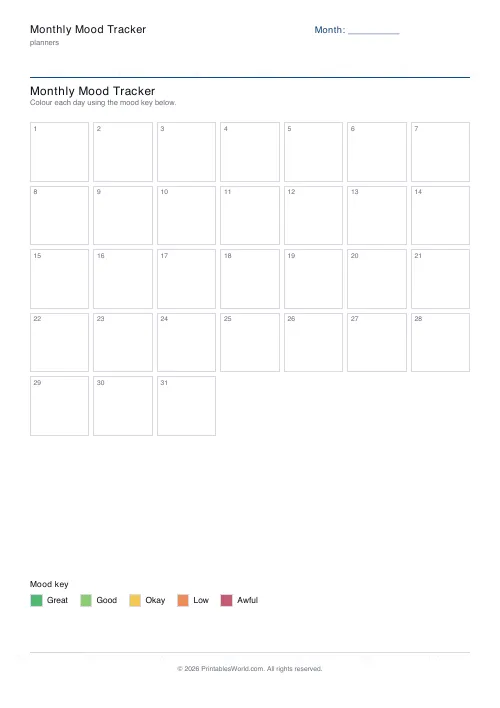
A month of mood on one page: 31 cells to colour in, a five-level key with its own colour swatches, and a month field you fill in yourself.
People also used
Feedback
Spotted something off with this tool?
One page, thirty-one cells
Seven columns by five rows, giving 35 boxes of which 31 are days and four spare. Underneath sits the key: five levels, each with a printed colour swatch, labelled Great, Good, OK, Down and Low by default.
The labels are editable, so if those words are not yours you can use your own. The month field is blank — write it in, and the same sheet works for any month.
Colouring in beats writing
Ten seconds a day, one box, one colour. That is the whole commitment, and it is deliberately smaller than a journal entry because the tracker you actually keep is the one that asks almost nothing of you at the end of a bad day.
What you get in exchange is a picture. Thirty-one written entries have to be read and remembered; thirty-one coloured squares can be taken in at a glance, and patterns that were invisible day to day become obvious — a bad run every third week, a dip that starts each Sunday evening, three good weeks you had entirely forgotten about by the time the bad one arrived.
Five levels, not ten
Fine-grained scales sound more accurate and are harder to use consistently. Is today a 6 or a 7 out of 10? You will not answer that the same way in November as you did in June, and a scale you apply differently in different moods ends up recording the scale instead of the mood.
Five is enough to be useful and coarse enough to be repeatable.
Making it more useful
Add a mark in the corner of the box for context — a dot for a bad night's sleep, a line for a day off, an asterisk for anything unusual. Over a couple of months the correlations start to show themselves, and they are frequently not the ones you expected.
Print several and keep them together. One month tells you very little; six months tells you a great deal, especially about the seasons.
A note on what this is
It is a piece of paper and it is not a clinical instrument. It does not diagnose anything and it does not replace talking to a doctor.
What it does do is give you something concrete to bring to that conversation. "I have felt low for a while" is hard to act on. A sheet showing eleven Low days out of thirty, clustered in the second half of the month, is a different kind of statement — and if what you are looking at worries you, please take it to your GP rather than to another month of tracking.
Also useful
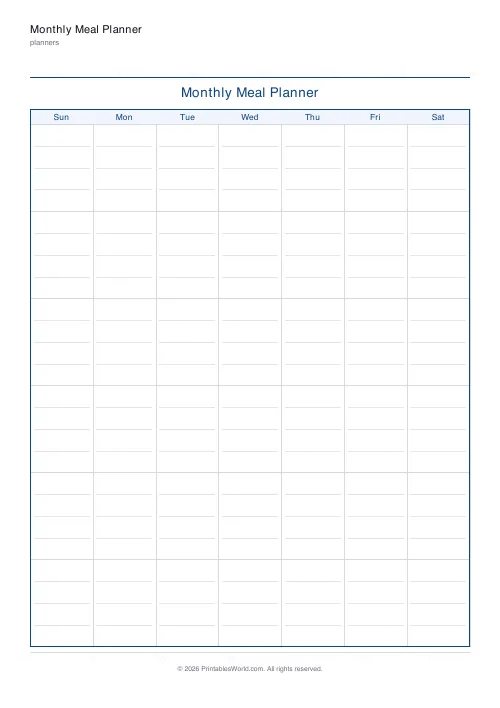
The monthly planner if you would rather track alongside your commitments, and the 30-day habit tracker for behaviours rather than feelings.
FAQs
Quick answers
Can I use my own mood labels?
Yes. Overwrite the default five moods with anything that fits how you track. Energy levels, anxiety, focus, even emoji labels.
What if the month has 30 or 28 days?
Leave any extra day cells blank. The grid always prints 31 cells so the same template works for every month of the year.
Should I use colours or emoji?
Either works. Coloured pencils give you an at-a-glance heat map for the month; emoji lets you go a bit more descriptive per day.
Does it include the dates?
Day numbers 1–31 are printed but specific dates are not. Write the month name at the top so the sheet travels well into any calendar month.
Related tools

30-Day Habit Tracker
A printable 30-day habit grid to tick off every morning. One row per habit.

Weekly Sleep Tracker
Log bedtime, wake time, duration, and quality for 1–4 weeks at a time.

Daily Water Tracker
Tick off 8 glasses a day for a full month. Printable, one page, no app required.

Planner Maker: Custom Printable Planner Pages
Build custom printable planner pages with lines, boxes, text and checklists in precise millimetre layouts.
Further reading
Planners
How to pay off debt faster with a payoff tracker
One method costs less; the other is easier to stick to. Here is how to choose between them honestly, and why a visual tracker changes the odds either way.
5 min read
Planners
Time blocking for beginners: a complete guide
Time blocking is deciding when each task happens, not just what. Here is how to size blocks realistically, what to do when the day breaks, and why most beginners over-schedule.
5 min read
Planners
How to build a daily routine that actually sticks
Most routines fail in week two, when motivation runs out and nothing has replaced it. The fix is structural: fewer items, fixed anchors, and a plan for the day you miss.
6 min read