


 Scan to get


 Scan to get



 Scan to get






What this tool does
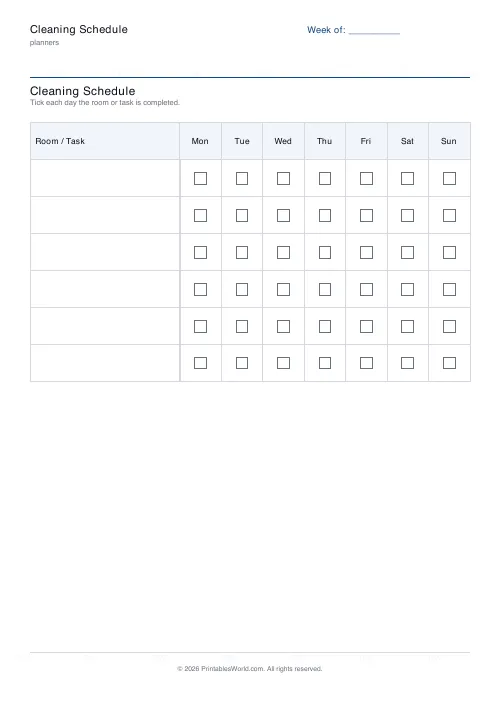
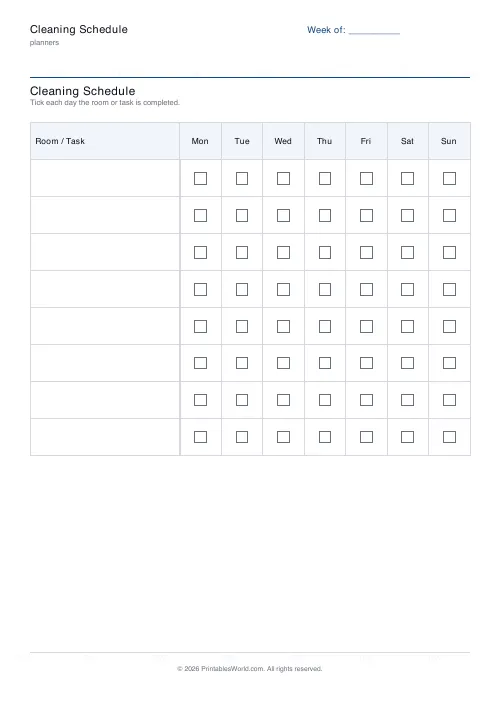
A one-page weekly cleaning schedule. Your rooms or tasks run down the left, Monday to Sunday runs across the top, and every cell is a tick box. Six to ten rows, pre-filled with your own labels or left blank to write in by hand, with a Week of line at the top for the date.
People also used
Feedback
Spotted something off with this tool?
A grid on the fridge beats an intention
Rooms or tasks down the left. Monday through Sunday across the top. A box where they meet, and you tick it when it is done.
That is the whole thing, and the reason it works is not the planning. It is that at the end of the week the sheet shows what actually happened, including the row with no ticks in it, which no amount of good intentions will show you.
Six to ten rows, eight by default, and the row height tightens slightly at ten so everything stays on one page.
Type the labels or write them in
Fill the left column with your own text before printing: Kitchen, Upstairs bathroom, Bins out, Vacuuming, Laundry. Or leave the fields blank and the column prints empty for you to write in afterwards.
Blank is the better choice more often than people expect. A handwritten label is edited with a pen when the week changes shape, and a printed one means reprinting. The title can be renamed too, to Household Chores or Flat Rota or whatever the household actually calls it.
Who it settles arguments for
House shares
The division of labour becomes visible, which is most of the problem solved. A printed grid is much harder to ignore than an agreement made in a kitchen three weeks ago, and it removes the need for anybody to be the person who brings it up.
Families
Children tick their own boxes, which is the mechanism. Feeding the cat becomes a thing that gets recorded rather than a thing that gets asked about, and after a month it is a habit instead of a negotiation.
People living alone
Nobody is watching, which is exactly why the deep cleaning slides. Seven columns let you spread the heavy jobs across a week instead of losing a Saturday to all of them at once.
A three-bedroom house
Eight rows. Kitchen. Both bathrooms on their own lines, because whoever does the upstairs one deserves credit for it. Living room, hallway with the stairs, bins out, vacuuming, laundry.
Person A takes the odd days. Person B takes the even ones. Sunday is bins and a wipe of the kitchen and nothing else.
By Friday the grid shows that vacuuming was skipped on Wednesday. Because that is visible on paper rather than remembered differently by two people, it gets caught up on Saturday without anybody having to accuse anybody of anything, which is the actual function of the sheet.
What it does not do
- One week per sheet. Print a fresh one weekly, or laminate a single copy and use a dry-wipe pen on it.
- Ten rows is the cap. Any more and the tick boxes get too small to hit with a pen in a hurry, which is when a schedule stops being used.
- Nothing rotates tasks or assigns anybody to a day. You decide the rota; write initials in by hand.
- No month view and no multi-week layout. It is a Monday-to-Sunday grid and nothing else.
The PDF is drawn in your browser rather than on a server, so the room names you type never leave your machine.
FAQs
Quick answers
How many rooms or tasks can I add?
You can choose between 6 and 10 rows. Each row represents one room, area, or recurring task. If you need more, print two schedules and use one for daily tasks and another for weekly deep-cleaning jobs.
Can I print the same schedule every week?
Yes. Either print a fresh copy each Sunday evening, or laminate the PDF and use a dry-erase marker to tick boxes, then wipe clean at the end of the week.
Do I have to fill in the room names before generating?
No. The room-label fields are optional. If you leave them blank, the generator creates empty rows and you can hand-write the names after printing.
Can I assign specific people to specific days?
The generator does not print names in the day columns. You can write initials or names by hand in the column headers, or agree a rota verbally and let each person tick their own assigned days.
Will this fit on US Letter and A4 paper?
Yes. The table margins and row heights are sized to fit both paper standards in portrait orientation without clipping.
Can I change the days of the week or use a fortnightly layout?
The current version always prints Monday to Sunday columns. Multi-week or custom day ranges are not supported yet.
What if I only need a few tasks per week, not daily?
Use fewer rows and list only the weekly jobs. Bins, mop floors, change bedding. Leave the daily boxes unticked if a task does not apply that day.
Related tools
Pet Care Log
Printable log for feeding, walks, medication, and vet notes for your pet.

Weekly Planner
Weekly spread with seven day columns, a goals box, and a notes strip.

30-Day Habit Tracker
A printable 30-day habit grid to tick off every morning. One row per habit.
Teacher Lesson Planner
Printable weekly teacher planner. Five days by period or subject, sized to survive a term in a ring binder.
Further reading
Planners
Time blocking for beginners: a complete guide
Time blocking is deciding when each task happens, not just what. Here is how to size blocks realistically, what to do when the day breaks, and why most beginners over-schedule.
5 min read
Planners
Meal planning 101: save time and money every week
A weekly meal plan saves money mainly by changing how you shop. Here is a thirty-minute method, the shortcuts that keep it going, and the mistake that ends most plans in week three.
5 min read











