


 Scan to get


 Scan to get



 Scan to get






What this tool does
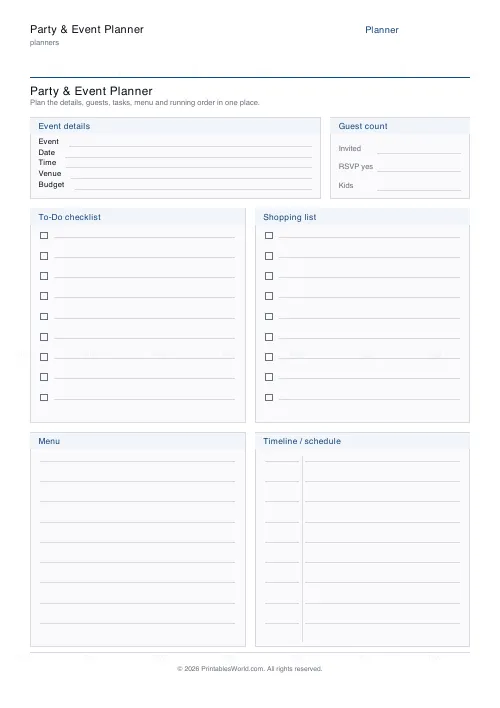
One page for one event: details and venue with an optional budget, a guest-count card, a to-do checklist beside a shopping list, and a menu box beside a timeline.
People also used
Feedback
Spotted something off with this tool?
Everything on one sheet
The top block takes the event name, date, time, venue and a budget figure, with a guest-count card beside it. Below that, a to-do checklist and a shopping list side by side. Below that again, a menu box and a timeline.
The budget field can be switched off if the number is nobody else's business, or if there isn't one.
Why one page rather than a folder
Because the failures of event planning are almost never failures of effort.
The cake is remembered. What gets forgotten is the ice, the serving spoons, whether anyone is bringing a table. Those things live in six different places — a phone note, a message thread, a scrap of envelope — and the sheet exists so they live in one, which can be carried, handed to somebody else, and looked at while standing in a supermarket.
The timeline is the box people skip
Fill it in backwards from the moment guests arrive.
Work out when food needs to be in the oven, then when it needs to come out of the fridge, then when the room needs to be laid out, then when you have to stop and get changed. Doing that on paper the day before regularly reveals that two things need the oven at the same temperature at the same time, which is far better discovered on a Friday than at half past six on a Saturday.
Leave the last half hour before guests arrive completely blank. It will fill itself.
Guest count drives everything else
Write it early, because the shopping list, the menu and the seating all depend on it and none of them can be finished while it is a guess.
Then add a margin. Someone brings a partner; someone's childcare falls through the other way. Catering for a few more than replied is cheaper than the alternative, and leftovers have never been a crisis.
Two lists, deliberately
The to-do list and the shopping list sit next to each other because tasks and purchases get muddled and they are not the same thing. "Balloons" is a purchase. "Blow up balloons" is a job, and it takes forty minutes that nobody has budgeted for.
Splitting them makes the real workload visible, and it makes the sheet delegable — hand it to whoever offered to help and they can take a line each.
What it suits
Birthday parties, christenings, wedding showers, retirement dos, class parties, small fundraisers, a Christmas lunch for fourteen. Anything with a guest list, a menu and a moment it has to be ready by.
For something with milestones and owners rather than a menu, use the project planner.
FAQs
Quick answers
What kinds of events is this planner for?
Any small-to-medium event. Kids' birthdays, dinner parties, baby and bridal showers, classroom celebrations and small office gatherings. The layout is deliberately generic so it fits them all.
Can I hide the budget field?
Yes. Toggle "Show budget field" off and the Budget line is removed from the event-details block, leaving just event, date, time and venue.
Is this a fillable PDF?
No. It prints as a clean worksheet you fill in by hand. That keeps it universal, works offline, and needs no PDF editor.
How many to-do and shopping items fit?
Each checklist column has about nine tick-box rows, and the menu and timeline boxes have room for around nine lines each. Enough for most events on a single page.
What is the timeline box for?
It is a running order: pair a time with what happens at it, guests arrive, games, food, cake, so the day flows without you having to remember the sequence.
What paper sizes are supported?
A4 and US Letter. Choose your size before downloading and print at 100% scale so the boxes stay aligned.
Can I rename the planner for a specific party?
Yes. Change the title field to something like "Mia's 6th Birthday" and it prints as the heading at the top of the sheet.
Related tools
Grocery List
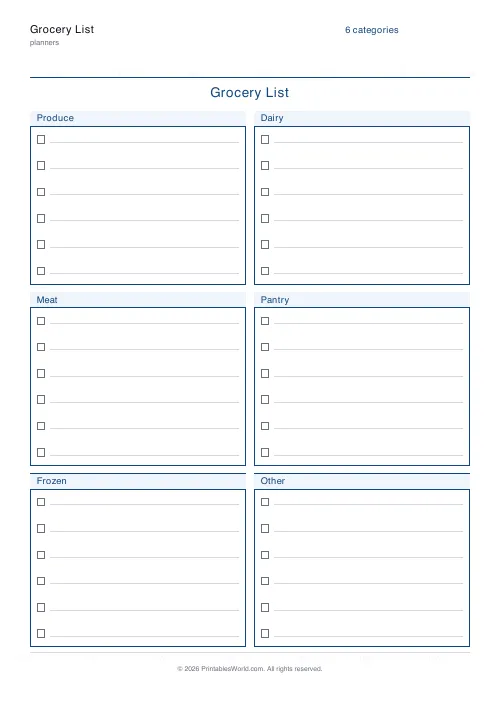
Printable categorised grocery list with tick boxes for every item.

Weekly Meal Planner
Plan seven days of breakfast, lunch and dinner on one printable page.

Simple To-Do List
Minimal printable to-do list with tick boxes and a configurable item count.
Monthly Budget Planner
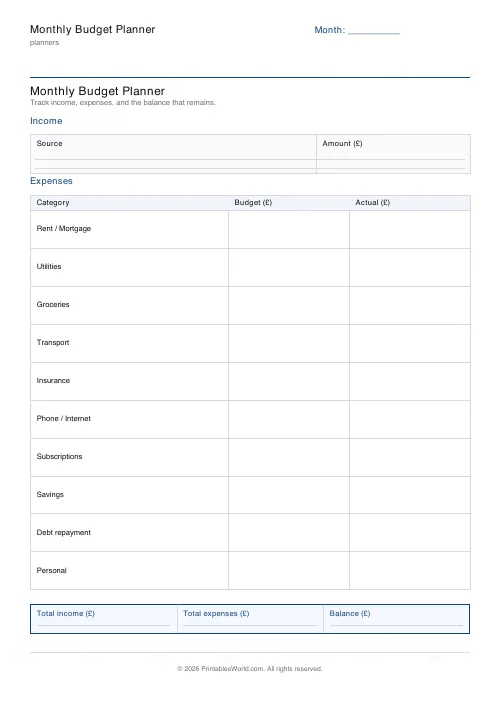
One-page printable budget: income, categorised expenses, balance summary.
Further reading
Planners
ADHD-friendly planning: systems that work
Standard planners assume you will remember to open them. That single assumption is why they fail for a lot of ADHD brains. And what an ADHD-friendly system has to replace.
6 min read
Planners
Study planning for exams: a student's complete guide
A revision timetable is only as good as what goes in the slots. Here is how to build one backwards from the exam date, and which study methods the evidence actually supports.
5 min read
Planners
How to pay off debt faster with a payoff tracker
One method costs less; the other is easier to stick to. Here is how to choose between them honestly, and why a visual tracker changes the odds either way.
5 min read











