What this tool does
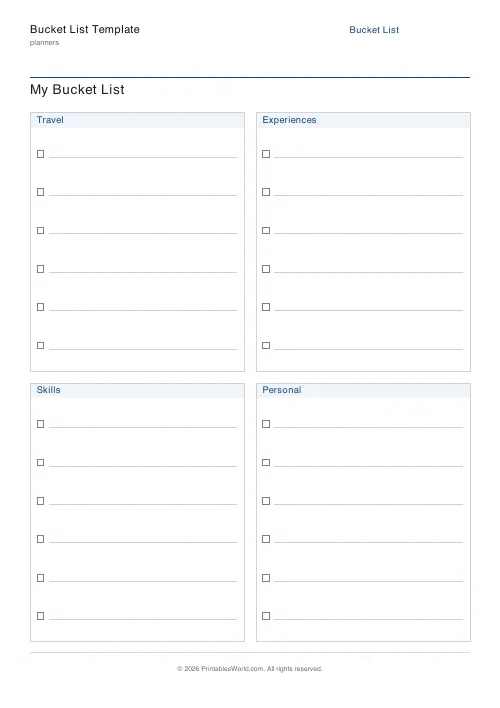
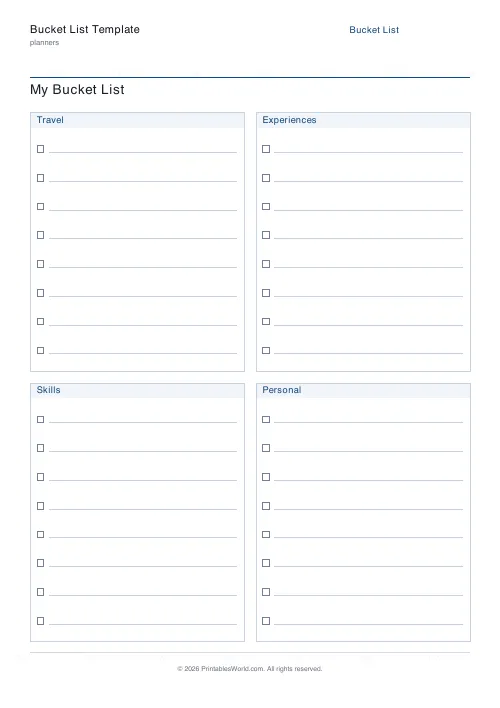
A one-page bucket list in four categories you name yourself, with 6 to 14 tick-box rows in each.
People also used
TV & Film Watchlist
Printable watchlist for TV shows and films. Title, type, genre, rating, notes.
Journal Prompt Page
Printable journal page. One printed prompt at the top, full ruled writing area below.
Planner Maker: Custom Printable Planner Pages
Build custom printable planner pages with lines, boxes, text and checklists in precise millimetre layouts.
Feedback
Spotted something off with this tool?
Four columns, your own headings
Four category blocks, a tick box on every row. The default headings are Travel, Experiences, Skills, Personal, and all four exist to be renamed into whatever you actually want to divide your life up by.
Six to fourteen rows per category.
Categories stop it being a holiday list
An undivided bucket list turns into a list of places. Every one does. Places are the easiest thing to think of, and they photograph well.
Splitting the page forces breadth: a column headed Skills will not accept another city, and having to put something in it produces a different sort of ambition. The four defaults are a starting point — People, Money, Health, Creative, Read, Fix are all better headings for some people than Travel is.
Change them before you write anything. It is a two-minute decision that determines what the whole sheet contains.
Write things you could start this year
A bucket list of the genuinely unreachable is a fantasy document, and fantasy documents get put in drawers.
Mix scales deliberately. One or two enormous entries per column, and the rest achievable — a weekend away rather than a year abroad, learning one piece on an instrument rather than learning the instrument. The small ones get ticked, and a sheet with ticks on it gets looked at again.
Be specific enough to know when it is done
"Travel more" cannot be ticked. "See the northern lights" can. "Get fit" cannot; "swim a mile without stopping" can.
If an entry has no moment where it becomes true, it is a value rather than an item, and values do not belong on a list with tick boxes next to them.
The tick boxes are the whole mechanism
A list without them is a list of wishes. A list with them is a record of things that happened, and it accumulates.
Date each tick as you make it. In ten years the dates are more interesting than the list, and it is the only part you cannot reconstruct afterwards.
Controls and printing
A title, your four category names, and rows per category (6 to 14). A4 or US Letter, printed at 100%.
Put it somewhere visible. A bucket list in a notebook is a list you write once; one on a wall is a list you add to.
FAQs
Quick answers
Can I rename the four categories?
Yes. Each category name is an input. Use whatever themes matter to you.
How many items per category?
Between 8 and 12. Ten tends to work best on a single A4 or Letter page.
Does it work for a classroom goal-setting activity?
It does. Drop in categories like "Before I finish school" and hand a copy to each student.
Can I make a themed bucket list?
Absolutely. Rename all four categories to match a theme (e.g. Summer, Europe Trip, Retirement).
Related tools