What this tool does
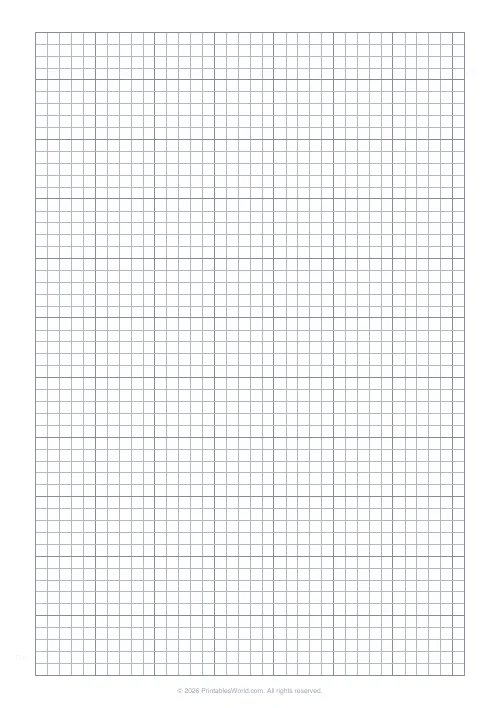
A 5 mm grid for sketching room layouts, with a bold line every five squares and a border round the sheet. At 1:50 each small square is 25 cm.
People also used
Feedback
Spotted something off with this tool?
Grid paper set up for room sketches
Five-millimetre squares in grey, a heavier line every five squares, and a border round the drawing area. Nothing else, because a floor plan sketch does not want anything else on the page.
Pick a scale before you draw anything
This is the step people skip and then regret, usually about the time the kitchen runs off the edge of the paper.
At 1:50, one small square is 25 cm and a bold block of five is 1.25 m. A room 4 m across is sixteen squares. That is the scale to use for a single room.
At 1:100, one square is 50 cm and a bold block is 2.5 m. A whole flat fits on A4. Detail suffers, but you can see the layout.
At 1:20, one square is 10 cm, which is what you want for a kitchen run or a fitted wardrobe where 10 cm is the difference between a door opening and not.
Write the scale on the sheet. A drawing without one is a picture, and in six months you will not remember whether that wall was three metres or four.
What the bold lines are for
Alignment. Walls drawn along the heavy lines stay parallel and square without a set square, and a run of five squares is a countable unit that stops you losing your place across a wide room.
Start the outside walls on bold lines. Everything inside then has something to measure from.
Sketching a room that will actually be right
Measure the outside walls first and draw the shell before anything else. Rooms are rarely as rectangular as they look, and discovering that after you have drawn the furniture is a wasted sheet.
Mark doors with the arc they swing through. A door that opens into the space where you were planning to put a bookcase is the single most common thing a paper plan catches, and it only catches it if the swing is drawn.
Note the windows, the radiators and the sockets. All three constrain furniture and none of them are movable in an afternoon.
What is under your control
The 5 mm grid with bold fives is the preset. Paper size A4, US Letter or US Legal.
US Legal is worth considering for a long room — the extra length often means one sheet instead of two taped together.
Other cell sizes, colours and dot grids are on the graph paper generator, which is the same engine with the controls exposed.
Printing
100% scale, or the squares are no longer 5 mm and the whole scale calculation is wrong. Worth checking with a ruler once per printer.
FAQs
Quick answers
What scale should I use?
A common choice is 1 square = 25 cm (1:50). Adjust to suit your space.
Is there an outer border?
Yes. A heavier rectangle frames the drawing area to keep your plan clean.
Will it work on US Letter?
Yes. A4, US Letter, and US Legal are all supported.
Can I switch to lighter lines?
Yes. Use the line weight control to choose light, medium, or dark.
Related tools
Engineering Paper
Classic green-tinted engineering grid for technical work.
Graph Paper Generator
Create custom graph paper PDFs with square or rectangular grids, dot styles, and axis numbering.
Map Grid Paper
Numbered grid paper for hand-drawn maps and orienteering.
Address & Name Labels
Printable address label and name tag sheets in common Avery layouts.
Further reading
Printable Paper
Bullet journalling with dot grid paper: a starter guide
The bullet journal was designed to be fast, not beautiful. Here is the original system, why dot grid suits it better than lines or blank, and the four pages you actually need.
5 min read
Printable Paper
Graph paper sizes: which grid for which task
What graph paper sizes and grid spacings mean, how to match a grid to maths, art or design, and how to set it all in the free graph paper generator.
7 min read
Printable Paper
The best note-taking paper for students (Cornell, grid, lined)
The paper you take notes on quietly decides how you review them. Here is what each format is actually for, and which subjects each suits.
4 min read
More like this
- Graph Paper Generator
 Lined Paper Generator
 Dot Grid Paper
- Engineering Paper
 Knitting / Crochet Grid
 Cross Stitch Grid
 Pixel Art Grid: Small (16×16)
 Pixel Art Grid: Large (32×32)
 Classroom Seating Chart Grid
- Map Grid Paper
 Blank Notebook Page
 Multiplication Grid: Blank
 Times Table Grid: Fill In
 Isometric Dot Paper