What this tool does
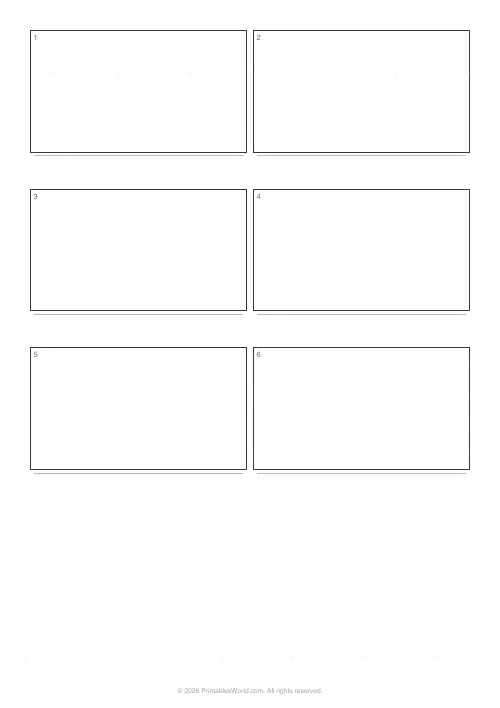
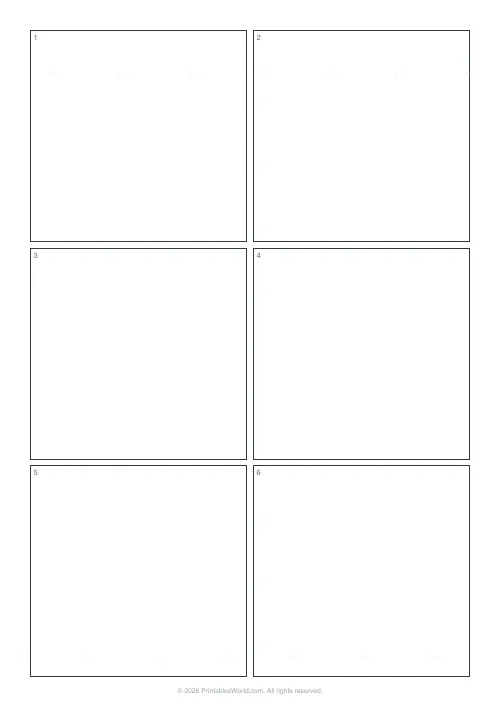
A film and animation storyboard: six numbered frames in true 16:9, laid out two across and three down on a portrait page, each with a caption strip underneath for the shot note, the dialogue or the timing. One page, no settings, A4 or US Letter.
People also used
Feedback
Spotted something off with this tool?
Six widescreen frames and somewhere to write
Two across, three down, numbered 1 to 6 going down the page. Each frame is drawn at exactly 16:9, and under each one sits a caption strip for the shot note.
The aspect ratio is the part that matters. Sketch a composition into a 4:3 box and it will not survive contact with the viewfinder, because you will have composed for a shape the camera does not produce. At 16:9 what you draw is what you frame.
There is nothing to configure. It is one page, and you print as many as the scene needs.
Storyboarding is where the mistakes are cheap
Every decision about framing gets made somewhere, and so does every decision about movement and about pacing. On paper they cost a pencil. On the shoot day they cost the crew, and in the edit they cost a reshoot you cannot have.
Filling six frames surfaces the problems that hide in a script: the plot gap between two scenes, the two shots that will not cut together because they cross the line, the sequence that turns out to be four seconds long. None of those are visible in prose and all of them are obvious in a row of boxes.
A stick-figure storyboard beats no storyboard, comfortably. Nobody is marking the drawing.
How to fill one in
- Sketch the composition in pencil. Shapes and stick figures.
- Draw the camera move onto the frame itself. A horizontal arrow for a pan, a vertical one for a tilt, and a line with the word dolly against it for a tracking move.
- Write the shot in the caption strip: shot type, subject, action, any dialogue.
- Put an estimated duration in the corner. This is the step people skip and it is the one that catches the timing problem.
- Number your pages so the frames run continuously. Frames 1 to 6 on page one, 7 to 12 on page two.
A forty-five-second opening
Six frames, so roughly seven and a half seconds each on average, which immediately tells you some of them have to be much shorter.
Wide establishing shot of the street. Medium of the character walking. Close-up as they stop. Their point of view, whatever they are looking at. Reaction close-up. Cut wide, character runs out of frame. Write the shot type, the duration and the dialogue under each, and somebody who was not in the room can now shoot it without asking you a single question. That is the test of a finished storyboard.
Who uses them
Filmmakers
Faster to sketch than any digital previs tool, and you can mark it up on location when the weather changes the plan.
Animators
One frame per key beat, then re-time on the edit timeline. The caption strip takes the frame numbers.
Students
Media studies coursework and film practicals, on a layout that matches what the industry actually uses rather than a worksheet approximation.
Anyone making a video at all
Travel vlogs, family events, product reviews. Six boxes is enough structure to stop an edit turning into a pile of clips.
Tips that improve the film rather than the drawing
- Do not draw well. Detail in a storyboard frame is time spent not thinking about the shot.
- Vary the shot type. A sequence that sits on one focal length reads flat however well it is lit.
- Mark camera direction inside the frame, not in the caption. It has to be visible at a glance on set.
- Write a duration under every frame and add them up. A storyboard summing to five seconds is a very different film from one summing to fifty, and you want to know which you have made before the shoot.
- One highlighter, for lighting changes. More colour than that stops being information.
Printing
Vector output, so it stays crisp at any zoom. Print at full scale rather than fit-to-page, and every sheet shares the same frame size, which matters the moment you pin more than one page to a board and start comparing them.
FAQs
Quick answers
How many frames per page?
Six numbered frames in a 2×3 portrait layout.
What aspect ratio are the frames?
Approximately 16:9. Matching standard widescreen video.
Is there room for captions?
Yes. A thin caption strip sits below each frame for shot notes or dialogue.
Will it print on US Letter?
Yes. A4, US Letter, and US Legal are supported.
Related tools
Further reading
Printable Paper
Bullet journalling with dot grid paper: a starter guide
The bullet journal was designed to be fast, not beautiful. Here is the original system, why dot grid suits it better than lines or blank, and the four pages you actually need.
5 min read
Printable Paper
Graph paper sizes: which grid for which task
What graph paper sizes and grid spacings mean, how to match a grid to maths, art or design, and how to set it all in the free graph paper generator.
7 min read
Printable Paper
The best note-taking paper for students (Cornell, grid, lined)
The paper you take notes on quietly decides how you review them. Here is what each format is actually for, and which subjects each suits.
4 min read